Showing posts with label Internet. Show all posts

02 January, 2014

The Good, the Bad and the Ugly of 2013


The year 2013 was fully jam-packed with new innovations, new ideas, new techno stuff and much more. 2013 was a time oh hope, a time of sadness,  a time for twerking and a time for doge.
Each new gadget has its own identity. So here I present the gadgets we love, we hate and the ones that we found aesthetically offensive.

The GOOD  


The Pebble


Many tried to make a smartwatch people wanted to wear and use this year, and many failed. Pebble succeeded. Success for a smartwatch still doesn’t look like massive millions of units sold, but it looks better than when the Pebble team tried this a few years ago with the inPulse smartwatch for BlackBerry. “The what?” you say. Exactly.

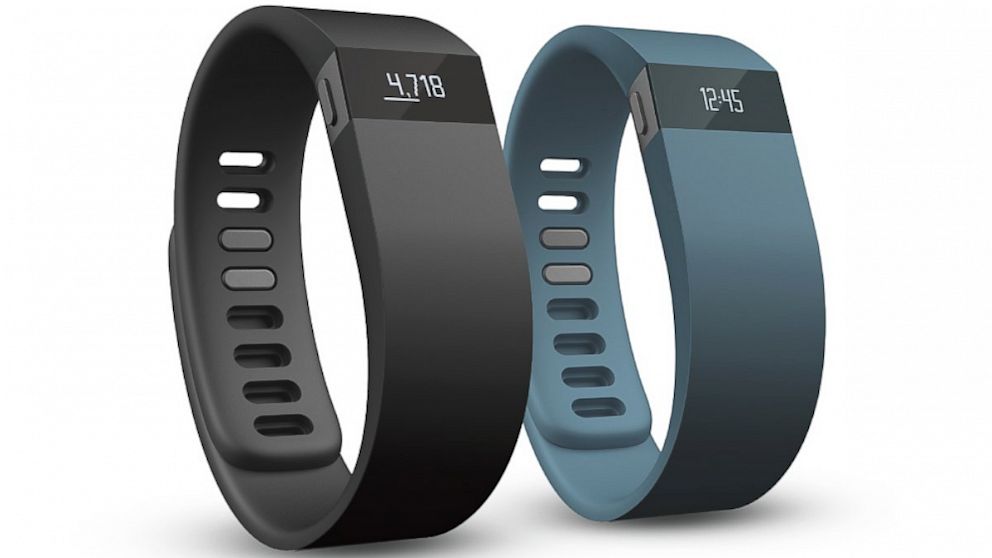
The Fitbit Force


Fitness trackers are many and varied, but Fitbit consistently delivers top-notch hardware. The Fitbit Force is the latest. It takes the successful formula of the wrist-borne Fitbit Flex and adds a basic screen so you can get information right from your wrist, instead of having to open an app on your phone every time you want to check your progress (in more detail than via a few lighted dots).

iPad mini with Retina Display


The iPad mini is an inexpensive way to join Apple's tablet family, but it remains more costly than its similarly sized competition. Besides the striking Retina display, what makes the minuscule iPad so attractive this year is it's essentially a shrunken-down version of its powerful bigger sibling. Very few sacrifices were made to accommodate the smaller stature -- something the competition can't quite claim.

Kindle Paperwhite


The "all-new" Paperwhite doesn't really offer anything all that different from last year's edition, but an improved frontlight and some software tweaks have made an already great reading experience even better. Unless Goodreads is a must-have app for you, it's a tempting, but largely unnecessary upgrade if you already own last year's version.


The BAD


Gamestick


“Android-based game console” is a phrase we wrote so many times this year. So. Many. Times. And it turns out, they mostly blow. Atop the pile of those that miss is the Gamestick, a crowdfunded disaster that no one loves.


Samsung Galaxy Gear


Pebble made a good smartwatch, and Samsung made a dumb one. They made weird ads to try to promote their dumb smartwatch, too, which helped nothing and creeped out the entire world. Plus it only works with a small pool of Galaxy devices, and it has terrible battery life and looks awful. Go home Samsung, you’re drunk.


Razer Kraken E-Panda Hooligan Headphones


Release the Kraken! This pair of headphones is named after not one, not two, but four unrelated things. We know that Razer is the brand name that invokes images of a blade, that the Kraken is a creature from Greek mythology and that a hooligan is someone who gets into drunken brawls at soccer games. But what the heck is an E-Panda? Is it a panda that’s addicted to ecstasy? Officially, E-Panda is the nickname of Bruno Mars’ brother and drummer Eric Hernandez, but how many people actually know that? And how many actually care?


OUYA CONSOLE


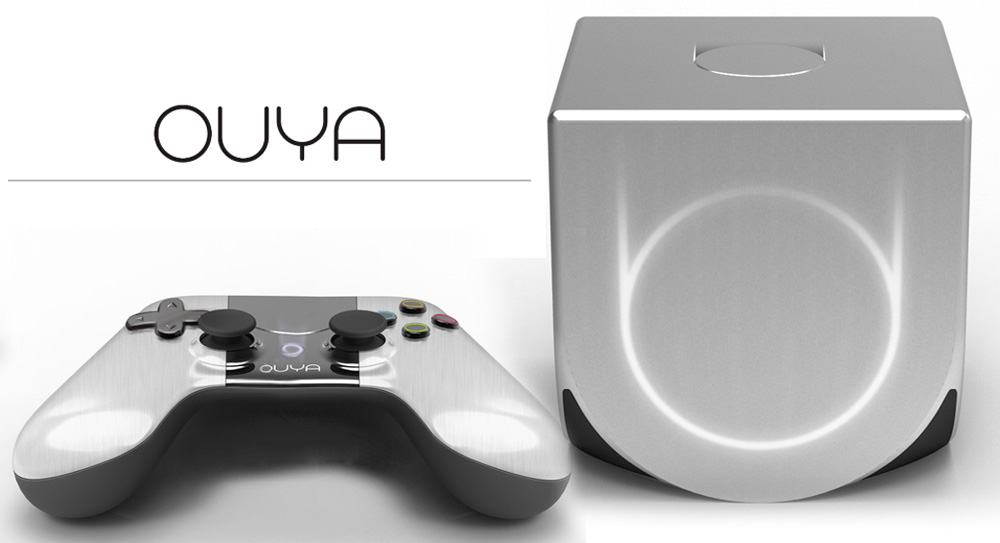
The initial backer editions of the OUYA shipped with a flawed controller and access to a limited games selection. But even after the retail release, the OUYA's still a system best left to hackers and developers, as it's likely to leave most gamers disappointed by its average smartphone-level internals and rehashed games library.


The UGLY


CTA Digital iPotty


Kids need to learn to use the toilet, and they should learn early that they also need to use iPads while they’re doing their business. So why not combine potty training and tablet use into a single device? The answer is that you shouldn’t do this because God will never forgive you if you do.

Google Glass


We've yet to see a consumer-facing Google Glass, but suffice to say the current version's more of a research project -- definitely not worth its $1,500 price tag for most folks. Mountain View still has to polish its features, address privacy concerns and entice developers before it hits the market. Until then, current Explorers will just have to deal with lots of confused stares when they wear it outside


Nitendo 2DS


I ain’t mad at you for dropping one of the ‘D’s Nintendo – you never needed three to begin with. And this device is actually pretty great, and I’d buy this instead of a 3DS if I didn’t already have one. Still, it’s not good-looking. It is, in fact, ugly. Good looks cost money, though, so uglification for a budget device may be strategy, not a stupid mistake


Top Apps of 2013


Apps make the world of the mobile smart devices go around. It is basically one of the reasons why we just can’t get enough of our smartphone or tablet – without apps, we might as well go back to the Jurassic age of boring feature phones where the only novelty you can find is the game “Snake”. Undoubtedly, at this day and age, with so many developers releasing countless apps, it is easy to get lost in the crowd. So we’ve checked out some of the best apps of 2013 that you may have missed and would still want to check out.

1. Candy Crush Saga 

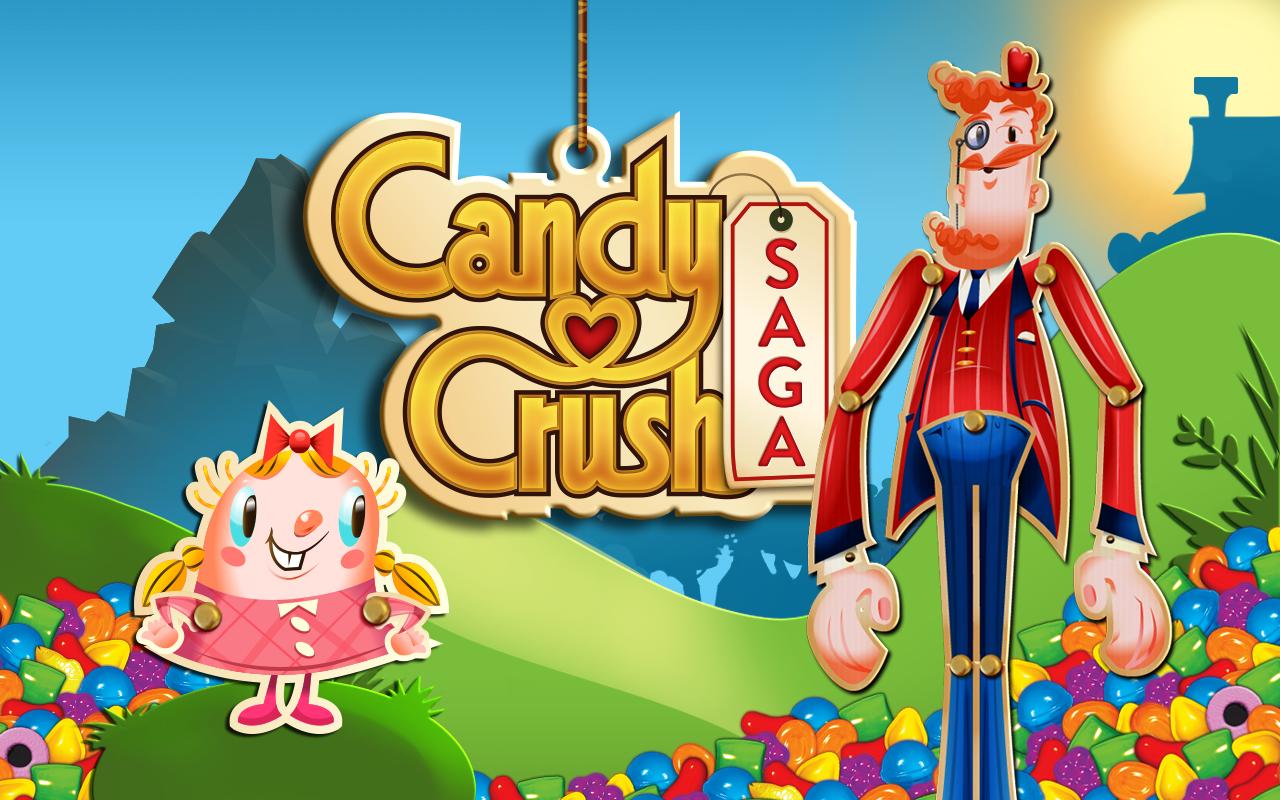
It was the highest grossing app on both Android and iOS in 2013. It is a typical fancy and fun twists “match-three” mobile game very much similar to the legendary Tetris and Bejewelled. Truly a game of strategy that require throughtful moves, Candy Crush Saga is extremely popular on Facebook.


2. Snapchat 


A popular “self-destructing” photo-sharing app that features smart filters, front facing flash and other exciting services. You just need to snap a photo or a video then simply add a caption then send it to a friend. Each snaps lives for 24 hours until it disappears.


3. Temple Run 2

It is the much-awaited sequel from Imangi Studios and of one of the most successful independent games apps on smartphones. With over 170 million downloads, Temple Run 2, actually ascended to the top of App stores and Play stores across various platforms.


4. 4 Pics 1 Word

It is a simple yet highly addictive Android game, which became a number one hit with over 100,000,000 word enthusiasts worldwide. The game gives you endless fun with exciting and tricky puzzles to work on. Simply guess the word and unlock the levels as you go along.


5. You Tube

This App was one of the original integrations created by HotSuite. It underwent major alteration earlier this year and now comprises a lot of exciting features. Aside from uploading, viewing, and sharing videos to social networks, you can also have multiple YouTube account support and in-dash video editing. You can also personalize recommendations with the YouTube Analytics app to keep track of your video success.


6. Instagram

 It is the most-installed mobile photo sharing app. Instagram or more commonly known as “IG” recently incorporated its 15-seconds video-sharing service, one of its main features. What makes IG different is that users can apply digital filters on their pictures and upload them on various Social Networking platforms like Facebook, Twitter, Tumblr or Flickr. It has become popular by its hashtags “Throwback Thursday” and “Flashback Friday.”


7. Facebook

 the most downloadable social networking app on both the App Store and Play Store. Aside from its label as the most downloadable app, it is also the most visited social networking site with more than 900 million users. Today, this is the easiest way to connect and share moments with family and friends online. By merely signing up, you can easily find and connect to family and friends from either here or abroad.


8. Google Maps

One of the most installed apps of the year 2013 simply because it made navigation faster and easier. It comes with comprehensive and accurate maps of over 200 countries. It now has a voice-guided GPS navigation for driving, biking, and walking.


9. Duolingo

You’d be hardpressed to find anyone saying anything bad about Duolingo – it’s this year’s Internet golden child, and rightly so. It’s one of the best tools I’ve ever seen for learning/brushing up on a language… and it’s completely free. As part of your training, you translate bits of real world text from sites like CNN and BuzzFeed (which is how Duolingo makes any money.)


10. Despicable Me : Minion Rush


Who doesn’t love minions? If you do, chances are you already have this app. It is highly addicting because you’ll be given a chance to play as Dr. Gru’s Minion. It is hilariously entertaining with fast-paced challenges. All you need to do is collect bananas, be mischievous and defeat villains to earn the title “Minion of the Year”.


14 December, 2013

Top Antivirus Software of 2013


The co-evolution of hackers and their prey can be very easily citied with Cheetahs chasing gazelles all over the forest. So, what is so great in this? Well, even though it’s Cheetahs and Gazelles, the basic stance for this story is always the biggest axiom- both have to keep going faster. Even in the tech world, the theory is the same. The arms race between antivirus suites and malicious viruses will never attain tranquility. It will be the same forever. Even if you come across the worst virus ever, the tech world is always ready to give the virus a run for its money.
So with that said, it’s time we take a look at the top 5 antivirus software of 2013.

Bitdefender Antivirus Plus 2013 

Easy and quick  Security against viruses, spyware and phising attempts.  


Features :

  • Bitdefender Autopilot.
  • Bitdefender Safepay.
  • Total Privacy Protection.
  • Full Computer Speed.
  • MyBitdefender dashboard.
  • Security Widget.
  • USB Immunizer.
  • Active Virus Control.
  • Rescue Mode.
  • Social Network Protection.
  • Search Advisor.
  • Personal Data Filter.


Kaspersky AntiVirus 2013 

 An antivirus that provides all types of anti-malware protection and Cloud Protection. 


Features :

  • Protects from viruses, Trojans and worms.
  • Blocks spyware and adware.
  • Scans files in real time (on access) and on demand.
  • Scans email messages (regardless of email client).
  • Protects instant messengers (ICQ, MSN).
  • Provides proactive protection from unknown threats.
  • Preventive Protection.
  • Scans operating system and installed applications for vulnerabilities.
  • Disables links to malware sites.
  • Advanced Protection & Recovery.
  • Restores correct system settings after removing malicious software.
  • Tools for creating a rescue disk.
  • Data & Identity Theft Protection.
  • Blocks all types of keyloggers.
  • Visual reports with charts and diagrams.
  • Alerts provide all the information necessary for informed user decisions.
  • Automatic database updates.


Avira Antivirus Premium 2013

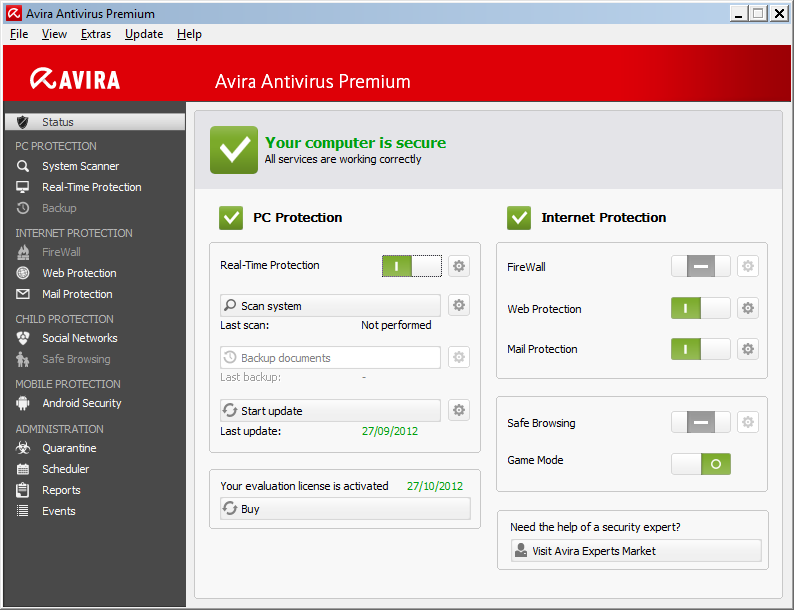
A full PC Protection and Internet Protection for home users.


Features

  • Real-Time Protection.
  • AntiAd/Spyware Protection.
  • Cloud Protection.
  • Secure Network Drives.
  • Rootkit Protection.
  • Proactive protection from unknown threats.
  • AHeAD Technology.
  • Browser Tracking Blocker.
  • Website Safety Advisor.
  • Advanced Web Protection.
  • AntiDrive-by.
  • Mail Protection.
  • Social Networking protection.
  • Quick Removal of virus.
  • Generic Repair system.
  • Rescue System in an emergency.


ESET NOD32 Antivirus 6

The world’s fastest and most effective proactive antivirus and antispyware protection.


Features

  • Smarter Scanner For all types of Virus entering into the system.
  • Email scanning for Microsoft Outlook,etc for ensuring your email is free of viruses and other threats.
  • Removable Media Security.
  • ESET SysInspector and ESET SysRescue simplify diagnosing System tools.
  • Deep scans of system processes to find hidden threats, and creating bootable rescue CD/DVD or USB drives to help you repair an infected computer.
  • Has built-in technology to prevent malicious software from corrupting or disabling it.
  • Many Usability Improvements.
  • Password protection prevents ESET NOD32 Antivirus from being uninstalled by strangers.


AVG Antivirus Professional 2013

An Antivirus that Detects and stops viruses, threats and malware. Great easy to use protection everyone needs.


Features

  • Detects and stops viruses, threats and malware.
  • Stops unsecure links and files.
  • Free mobile protection included.
  • Prevents spying and data theft.
  • Helps ensure a fast running PC.
  • Keeps your PC running smoothly.


So try and get your best Antivirus software regarding their features. :)

13 December, 2013

Top sites to learn coding


Seemingly every day there’s a new article or blog post imploring you to learn how to code. “Those who code have the power to transform their dreams into reality.” “Coding will help you keep [your job], or help you make a case for a raise.” “You should learn to program because it’s easy, it’s fun, it will increase your skill set, and… it will fundamentally change your perspective on the world.” What’s more, “If you want to start a technology company, you should learn to code.” New York City Mayor Michael Bloomberg’s New Year’s resolution was to learn how to code. The courses below offer everything from HTML to Python and beyond. HTML and CSS are good, because they’re the basic building blocks of Web design, and in my opinion, Python is useful, because it’s the most universal in many respects.


In any case, each program below emphasizes different pedagogical techniques and philosophies, and they are all mass market in the sense that anyone is welcome. No previous experience is necessary.


MIT Courseware Online

MIT has long been a pioneer of online courseware. One course is their Intro to Computer Science & Programming class, thought by many to be the best, most encompassing intro computing course offered. Taught by tenured MIT faculty, the online course is structured via taped lectures, written assignments, and self-assessment quizzes.

The course itself is quite rigorous as it was an intro course for MIT students. This isn’t a sort of online class you can do some parts and not the other. It requires a certain amount of pre-existing math knowhow to be truly successful. The course description says it only requires high school algebra as a prerequisite but I don’t buy this. I remember being pretty stumped by the second assignment, and I passed AP Calc with flying colors. This doesn’t mean the math is terribly high-level, but that it probably requires a certain amount of mathematical aptitude beyond algebra unless you want to spend the entire course scouring forums for help. As with any MIT course, there is an expectation that you not only know how to do a function, but why that function is performed and from where it stemmed. After attempting to follow this courseware for two sessions, I was officially stumped and dropped it.


edX


MIT and Harvard partnered up to create edX. It is a conglomeration of all of their available open courseware, along with a new department for the two institutions to perform research about the future of online courses and new pedagogical technologies. For MIT courseware, you can watch the lectures anytime, read the assignments, and self-assess. EdX has you follow the course in real time and complete the assignments and exams to receive a physical certificate from the program. It currently offers numerous classes in more subjects than just coding and far beyond the purview of Computers Science.


Codecademy


Codecademy.com is something slightly different than the last two. It uses a curriculum of exercises to teach the basics of coding in a variety of languages (PHP, JScript, Java, Python, Ruby, etc.). It has a text box to write different codes, and a number of tasks written alongside as a way to teach different skill sets. It’s a useful program for people who want to dive in to coding and learn the basics from a more pragmatic level. Wired.com, in fact, listed it as one of the more successful venues for learning code. However, some of the pitfalls lie in its simplicity: it’s a series of exercises, and doesn’t teach you much beyond rote tasks. It attempts to provide some context, but it just scratches the surface (at least for the beginner courses). You are able to learn the commands, their meanings, etc., and sometimes that’s just it. Codecademy teaches you these basics; and what logically follows is the statement: “I learned code.” Beyond that, it doesn’t teach a deeper type of literacy, other than learning helpful coding tricks, for better or for worse.


Google University Consortium

Much in the same vein as Harvard and MIT, Google used to offer various online courses for its progam Google Code University. GCU has since retired, but Google has archived its Python and C++ classes, along with providing ways to search for other online university curricula. It is now displaying a wide range of other courses not from Google, and calling it the Google University Consortium in Google’s developers page. The offerings for coding and computing are scant. All I could find was a course on “Programming with Go”, and when I went to begin that course it was a YouTube video.


PHP Academy


PHP Academy is similar to Codecademy in that it’s a private, community-based site working to educate the world on web development. Its methods are a series of courses, that is, videos and forums for all who want to participate. The appearance is more scaled down than Codecademy and seems to target those who have some familiarity with coding. In that regard, PHP generally approaches coding as something you already know, or are at least familiar with, so its approach to literacy is that some foundation of it is already there.


Coursera


Coursera has been getting some real press these days. Started by a few Stanford Professors last year as a way to offer online courses from myriad universities for free, it has courses for credit and wide-ranging course offerings. In terms of computing, it has an Intro to Programing course from the University of Toronto, which is similar to what edX offers. However, Coursera offers other, more specialized code courses. I signed up to take a Social Networking Analysis course last year taught by a leading professor in that field. Others include “Programming Languages” “Web Intelligence, and Big Data”.

Coursera is similar to edX in that courses are on a real schedule, with a curriculum, requiring a lot of your personal time. With both Coursera and edX you are taking a college-level course, that level of intellect is therefore required. In that regard it is leading the brigade in the thought that not only digital literacy is important, but that general education can be maintained through digital means. The onus is not necessarily that everyone needs to know coding, but that digital spaces can be used for positive, educational means.


Khan Academy


Khan Academy is, in some ways, an amalgam of Coursera and Codecademy. It claims to be working to change education “for the better by providing a free world-class education for anyone anywhere,” listing numerous subjects from computing to the humanities. The “Programming Basics” course has a similar format to Codecademy: read instructions and complete coding activities on a text screen to learn the necessary skills. Like Codecademy it progresses in a linear fashion toward mastering a basic repertoire. Khan has gotten scads ofthe press coverage, and I wouldn’t be surprised if it developed a more well-rounded curriculum around its original pedagogical style.


Codingbat


For a different approach there’s codingbat, which is simply a series of live coding problems. This site is tailored toward those with some previous knowledge of the subject, and has a bare bones interface pleasing to any hacker-in-training. The problems give immediate feedback to help improve skills, and were developed by Stanford CS lecturer, Nick Parlante. The two languages offered are Java and Python, and it now seems to be offering a theory course to teach skills in “small” coding so as to have the foundation to do longer pieces of code. The approach is educational at its core, but is difficult to delve in for the completely uninitiated.


12 December, 2013

Instagram announces "INSTAGRAM DIRECT"


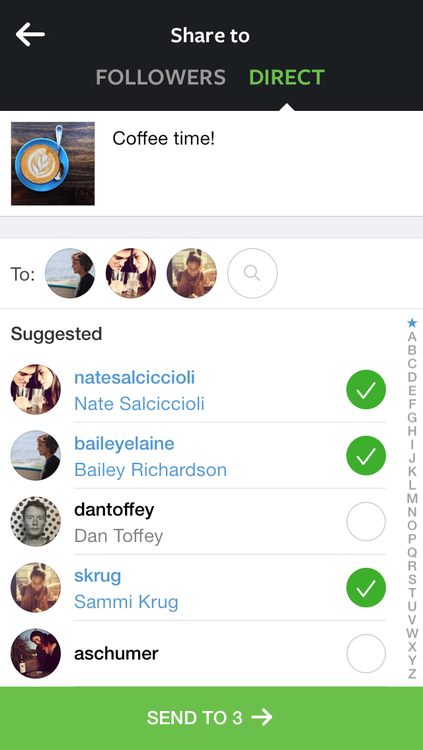
At an event in New York City today, Instagram announced Instagram Direct, a new messaging feature available today for iOS and Android that lets users send text, video, and photo messages to each other privately. "Communication is not about photography, necessarily," said CEO Kevin Systrom. "If we were about photography we'd be built into cameras, but we're not, we're built into phones." Instagram up to this point focused on photos and videos — "moments" — as Instagram calls them. Messaging adds a third dimension to the app that lets people communicate using words, Systrom says, but more importantly to do so privately, if you'd like. "Sometimes you want to be able to share not with everyone, but just with a specific group," he said.


Once your'e finished editing a photo in Instagram, you can now send your photo to up to 15 people, or to just one person. Each conversation needs to start with a photo, however — you can't send just text right off the bat. If the friend you're sending a message to is online, their avatar lights up in real-time inside a chat to show that they've seen or liked your message. A new Inbox button adorns the top right corner of your Instagram home screen that lets you instantly tap into your recent messages. If someone sends you a direct message while you're browsing the app, a badge pops up on top of the Inbox button. Like on Twitter, only the people that you follow can send you photos and videos. Your groups can be for your college buddies, classmates, or your husband or wife, Systrom says.

Real-time likes and chat bring this feature alive," Systrom says. When asked about whether ephemeral messaging, a la Snapchat, could ever make its way into Instagram Direct, Systrom responded: "There's definitely a space for ephemerality in general whether it's text or photos or videos, but Instagram is focused on capturing the world's moments. The important part in Instagram [Direct] is being able to go back to [photos] in order to have that conversation, and if they're not there anymore you can't have that conversation and see who has liked it."
Today's announcement marks Instagram's first foray into messaging. Considering the astronomical popularity of apps like WhatsApp, Kik, Viber, and more recently Snapchat, many speculated that seeing Instagram's first messaging product was only a matter of time. Private messaging, however, is far from a new idea. Since its early days Twitter, for example, had its own private message page for users, but only this past week did it bring that feature to the forefront. Instagram, on the other hand, has spent its time this year rolling out video posts, a Windows Phone app, photo tagging, an iOS 7 refresh, and its first ads.

Instagram doesn't explicitly face WhatsApp and Snapchat as competition in the photo-sharing space, but the company has seen apps like these eat away at the attention spans of its users. Snapchat lets users share disappearing photos, unlike Instagram, but if it in some ways fulfills the same utility as Instagram — sharing moments with family and friends — it becomes a threat. By adding private messaging to its app, Instagram is now one step closer to these competitors, but also more useful to its users.

Here's a video preview :


22 May, 2013

Top 7 free Online Logo Makers


There cannot be two opinions that a logo is essential for establishing the website as a brand and providing it a unique identity. Though there are a number of freelancers that provide logo designing services at affordable cost, many bloggers cannot afford them due to financial constraints. Luckily, there are some amazing online free logo makers that can help you design an attractive logo for your website. In this post, I will discuss the top 7 free online logo makers.


Best 7 Free Logo Makers Online


Online Logo Maker


One of the leading free online logo makers is the Online Logo Maker that contains a useful flash based application for designing logos. There are a lot of options present on the website that allow you to customize the logo as per your requirements. For instance, you can add symbols and small pictures too. There is an option to download the final logo to your computer which can be uploaded to the website later. You can visit
the official website here .


Logo Maker


One of the best free logo maker online is Logo Maker, yes it is it’s name . You will be surprised to know that a number of reputable brands have also used this website for designing the logo on the website. Even if you looking for a logo for your business or organization, the extensive range of tools present on the website make the process too easy. You can finalize your logo in few minutes and then save it in your pc by downloading. Here is the link to the Logo Maker .


Web 2.0 Free Logo Generator


The next free logo maker online is the Web 2.0 Free Logo Generator that is idle for the bloggers who do not have technical knowledge about the logos. This website has an easy interface that even a newbie can handle without any problem. All you need to do is to input the details regarding the logo and you get the final logo with the click of a button. The details that are needed to be provided are text of the logo, background color, font, font size, colors in the logo and information regarding symbols. Here is the link to Web 2.0 Free Logo Generator .


Logo Ease


Another reputed free online logo design provider is Logo Ease . Since this website has been operating from 1998, you can trust the website and its features. Again, you can be confident about a logo designed through this website as they have 12 years of experience of providing such services. The website has a simple interface so that the users can get the logo designed without any problem. There is an option to donate also but it is optional.


The Free Logo Makers


The next in the list of free log makers is the Free Logo Makers . Once you enter the website you get a variety of background images to choose. You can select one and then proceed further. Thereafter, you have to enter the details like text of the logo, font color and size. Finally, you can download the logo as an HTML file and use it for your website or company. Out of the all free online logo makers, this has great customising options and is great for rendering some good quality logos.


Free Flash Logos


If you want to get animated logos for you website, you can try the Free Flash Logos . You can make unlimited number of logos and there are a lot of options present on the website for customizing the logo and to make a free logo .


Flaming Text


Finally, you can also get a log designed on the website Flaming Text . It is quite old website and thus one of the most trusted free online logo maker online. There are a number of designs available on the website that can be customized by providing the necessary details.


Why go for paid logos when you can have various awesome ones for free with these free online logo makers . Share this post with your friends and give us a reason to cheer about.

10 May, 2013

5 Reasons why your blog readers would never come back again to your blog


Here are 5 main reasons why your visitor would never come back to your site again


1. If you do not have good blog design 

A new visitor can be impressed first by your blog design. A good blog design does not just mean an attractive design. If it is designed haphazardly, I tell you, they won’t like to see even your post title, leave alone the whole content. And then, first impression is always the last impression. So make sure that your blog is simple and easily navigable. Over-designed blog can be slow while loading, which is one of the top reasons why readers usually get away from any blog. One needs to make sure that its visibility is clear with good combination of colors. A strain in eyes due to over designing of blog can be yet another reason why reader would refrain away from your blog. Always make sure that the best things are prominent and visible to the readers. An attractive design can bring a visitor for once but wisely designed blog can compel them to come back again to your site.


2. If there is more ad than the information. 

Many prominent bloggers differ from struggling blogger in the way that they give the information and content of the blog more importance than the advertisement. Many bloggers starts a blog, works hard on it, get followers and then just to make few amounts of dollars in quick time, loads dozens of ads on their site and their blog looks like an advertisement times. This is when a blog lack its credibility. Why does one has to kill its probable brand of millions dollar value to make quick couple of hundred dollars. Such short term goal of a blogger does not help them in long run. This is one big difference between quick money making blogs and huge money making blogs. Blogging is a never ending process but such idiotic an act can end up your loyal readers. I too have left dozens of them just because of that reason.


3. If your writing is not good enough.

This is one aspect every bloggers need to take care of. Your words might be simple but could attract a lot of readers and encourage them to come again for it would create a connection between you and your readers. One would not appreciate as much if you tend to choose those tough and tricky words that would make readers to refer a dictionary. There are many bloggers who does not only choose smart words for search engines but also choose words judiciously for their readers. Writing for readers does not only mean to be too human while writing. One has to take care that the words they put in does not create a negative vibes all around. And good reader can easily predicts out your personality out of your writing. Your differently persona can be big hindrance in making and growing of your blog. Decency in writing can make up a lot for any writers.


4. If you don’t respect your readers.

Respecting its readers has been one of the major reasons for success for many bloggers. One needs to interact and make network with reader. If you look down a visitor as just a single person, you would lose thousands in the process. Give them the attention they need. Make them friend. Help them whenever they need help. Don’t differentiate them with your ego. Your writing may be top class but you’d never acquire that authority if they don’t appreciate. It is always better if we know a visitor by their name than by their blog or site. Your readers may differ your writings on a point and might show it with comments but don’t just ignore it. Convince them with some other point and respect their opinion too. You’ll see that these critics always add up vigor to your blog and thus contribute a lot in taking your blog onto a higher level.


5. If you are not honest.

Who doesn't love honesty? There exist an old adage “Honesty is the best Policy” and the same is very much applicable in blogging too. If you cheat your readers, not only they leave your blog but also endorse others to do the same. Cheating in blogging is one dangerous thing for whole blogosphere. Many blogger cheat the other blogger by copying their content. This does not only hurt and discourage a blogger but it also create a negative effect on their day to day lives because many bloggers blog for their livelihood. Plagiarism should be discouraged from all corners. In this context, a blogger can only help other blogger. Today, if every bloggers adopt a goodwill approach, the blogosphere would surely be more a better place to be in.


Over to you.

There are many reasons a reader would not love to visit a blog again. I have given 5 reasons. If you have some other reasons, you can share it here by commenting.


08 April, 2013

AdSense disapproval causes


Common mistakes that every blogger do .


1. Privacy Policy : 


One of the common mistakes that every Blogger makes. Even though there are people out there who say that having a Privacy Policy for a Blog doesn’t makes sense but they are wrong.
A Privacy actually describes to your readers about what they will get on your Blog , what they should do and what they should not. So obviously there is nothing bad in having a Privacy Policy. While it can affect somehow on your Adsense Approval, you must give it a try.


2. About Page 
An about has major role and importance if you don’t want to apply for Adsense. But when it comes to AdSense, they are about Zero chances of getting approved if you are not showing this page. About page simply describes about you and your Blog. This will not only help you establish a relationship with readers but it will also make them trust upon you.


3. Contact Us Page 

It’s quite obvious that everyone has his/her own opinion. What one of your readers likes may be bothering someone else. Than it is better to give them opportunity to speak up to you and tell how they feel about your Blog, what they want to be edited , what they liked or hated.
It will also show the Google Adsense Team that is viewing your site that you actually care about your readers and not only the money and Adsense.


4. Name/ Email Verification 

Make sure to put you Name and Email address in some easily visible area like About Me and Contact Us pages. It will confirm to Google Adsense Team that it is the same person who applied for Adsense and not some spam, crappy bots.


5. Age Verification 
Google Adsense is not for under 18 people. So I advice you to be accurate while typing your age.


6. Minimum Number of Posts 

There is no exact answer. Not even one. Because I have seen very established Blogs with 400+ posts and their owner telling me that Google Adsense is rejecting them while somewhere, people with 40, 50 posts are enjoying making money. Exactly what I said that there is no actual answer. However, we can always predict things. According to my experience, you should only apply after you have more than 70 posts. Posts length should must be 500+ words too.


7. Design 
Your Blog is the biggest thing after Content. This represents your expertise, experience and Professionalism. So be careful because anything can kill your Chances.


8. Content Type
Be careful with what type of content you are publishing. Because it is something that truly matters. Google Adsense is not for Pornographic, Illegal Items, Drugs or other Blogs / Sites like that. Also Adsense team won’t be willing to allow you to step in if you own a Non English Blog. Having posts shorter than 300 words in length is also Red Signal.


9. Providing Value 

Don’t complain about not making money and don’t clearly state that your are Blogging for Money only and have no other interest in it. Because this will show them that you will not be providing values to your readers any day. Hence another Red Light glows up.


10. Top Level Domain 

Those are gone far away when Adsense used to approve “Blogspot” and “WordPress.com” Blogs. As for today, you must have your own unique domain that specifies your Blog. If you don’t have one yet, stop dreaming about getting approved with Sub domains and go buy a Top Level Domain.
Another important thing about domain is it’s age. Because for most of Asian Countries, Adsense has placed an age restriction. They don’t accept any sites before they are 6 months old.


11. Other Ad Networks 

If you have any other Ads placed like Chitika, Clicksor or anything, it’s time to drop them off.
Even Google Adsense allows you to use other Ad Networks along with them, it’s better to remove the ads before Applying and don’t put them back until you get a reply from Adsense Team.


12. Paid Traffic 
Google hates the sites that are getting Paid traffic and mostly penalizes them so there is not a damn chance of getting Adsense Approval letter for a site that is getting paid traffic. You can bring traffic from Search Engines or any other way you want but if you want to earn via Google Adsense the right way, paid traffic is not a solution.


05 April, 2013

Best AdSense Alternatives

When it comes to blog monetization, the first name hat would sense in your name is Google AdSense. Since past few years, AdSense has been the backbone income of majority of bloggers. Google AdSense has been the most widely used Pay-per-click Advertising network due to several chief reasons like Variety in Ads and most prominently higher revenue than any other ad network but presently it does not offer small publishers with Google AdSense account due to the new strict rules and regulations introduced in it,. Often most of the AdSense applications submitted get rejected. So, it has become pretty difficult to get approved by AdSense. A creamy top layer enjoys the AdSense premium publisher status but all are not lucky. Sometimes AdSense itself bans if a website violates its rules and regulations. In such circumstances, any website or blog owner has to look out for the AdSense alternatives.
Below, I have compiled a list of Best Google AdSense Alternatives and can help you to generate handsome amount especially if you have massive traffic on your blog.


List of Best AdSense Alternatives


CHITIKA

Chitika is a Cost per Click ad network which was founded in 2003 and it's a leading advertising company. It is one of the best alternative to Google AdSense. Chitika does approve well established blogs. This ad network has mainly been built for blogs/websites that attracts majority of its traffic from US and UK. We can customize the ads well using Chititka. You can even make extra income using their referral program.

Payments from Chitika can be received via PayPal and cheque system. Minimum pay out for PayPal is $10 and for cheque is $50

CLICKSOR

Clicksor is one of the most popular advertising networks available on the Internet and is counted in best AdSense alternatives. This ad networks allows publishers to earn through different as-formats like In-line Tesxt Ads, Contextual Ads (banner and text) and more. We can earn upto 60% of the revenue share, depending upon the performance advertisers attains from your website placements and clicks. Well, the pop-up ads by Clicksor look pretty annoying often but the earnings we can make through it are pretty good.

You can receive payments via cheque or PayPal and minimum pay out is $50.

INFOLINKS

Infolinks is the best In-text advertising program. It is an advertising program which provides Text advertisements for all text based blogs. The major benefit of Infolinks is that they approve all blogs with ease. Just apply for Infolinks and your blog will get approved within 24 hours.

But the drawback of this ad network is CPC is quite low. Payments option are PayPal and Bank Wire Transfer and the Minimum payment is $50 for PayPal and debit cards, $100 for Bank Wire Transfer.

ADBRITE

It is one of the oldest and popular advertising networks. Here when you join and get approved by this ad network, ad won't display on your site instantly but it would get displayed only when someone buys that ad place. We can step our ad price on monthly and weekly basis. Even you have complete rights to reject the advertisement.

You can withdraw your money from Paypal, Cheques and the Minimum payout is $100


KONTERA

Kontera is an In-text advertising network which is quite similar to infolinks. They scan our website and keywords and match them with their database and show Ads accordingly. To get approved by Kontera and make handy amount of money, our blog needs to have huge page impressions. It is a good network of running ads scheme making it's mark to AdSense Alternatives.

KOntera payouts are good with high CTR. Here you can withdraw your money from PayPal. Cheque, EFT and minimum payout is $50


Although there is no Best Google AdSense Alternative as Google pays the best and has much higher CPC as compared to other other networks but if your Google AdSense is banned or it's review application is rejected, you can go for the above Alternatives to AdSense.